For Microsoft Bookings
Booking pages and tracking for Microsoft Bookings.
Put a fast booking page on your own website and see which ads and pages bring in each booking. Appointments still land in Outlook and Teams.
- No Microsoft sign-in
- No admin consent
- Free plan, no card
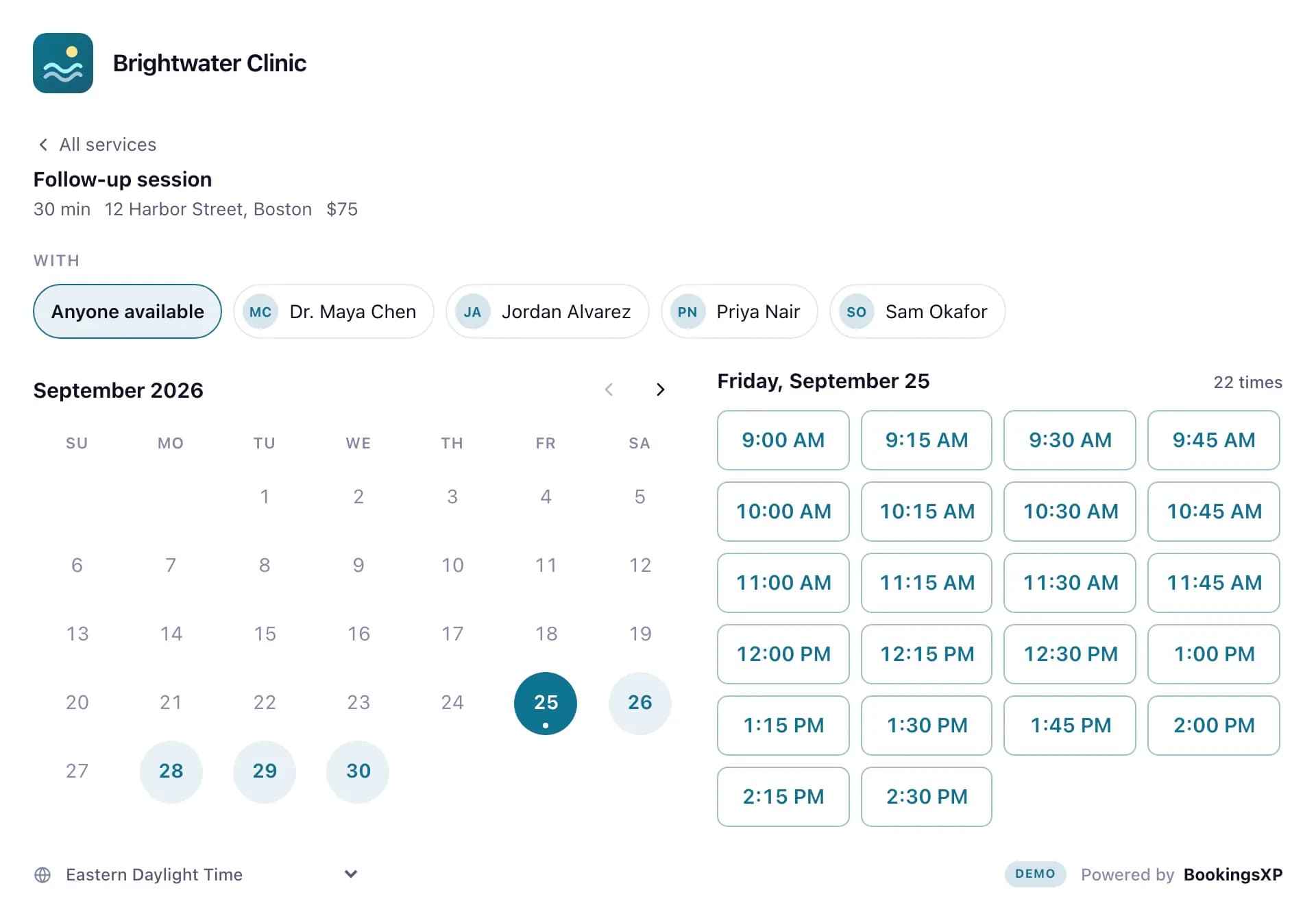
2Your tags
- bookingsxp.widget_viewed→ GA4 bookingsxp_view
- bookingsxp.slot_selected→ GA4 bookingsxp_slot
- bookingsxp.form_started→ GA4 bookingsxp_form_start
- bookingsxp.booking_completed→ GA4 generate_lead · Ads conversion
3Microsoft Bookings
— Booked on your website · Ref BXP-7K3M9Q
Source: google / cpc · Campaign: spring-physio (Paid search)
Keyword: sports physio near me
First page: /physio?area=knee
Ad click: gclid
Works with the tools you already run
What changes
Same Microsoft Bookings. A better page in front of it.
Microsoft Bookings on its own
Booking page
Microsoft's hosted page, on Microsoft's domain
Conversion tracking
Your tags can't load on Microsoft's page
Where bookings come from
Not recorded
Reports
Export to a spreadsheet
New-booking alerts
Email to staff
Calendar, confirmations and reminders
Handled by Microsoft Bookings
With BookingsXP
Booking page
On your website, in eight layouts and your colours
Conversion tracking
GA4 and Tag Manager events; Google Ads, Meta and LinkedIn on Pro
Where bookings come from
Campaign, keyword and first page on every booking
Reports
Funnel, channel, campaign and page reports
New-booking alerts
Microsoft Teams, Slack and signed webhooks
Calendar, confirmations and reminders
Still handled by Microsoft Bookings, unchanged
Who gets what
One page, three groups of people who notice.
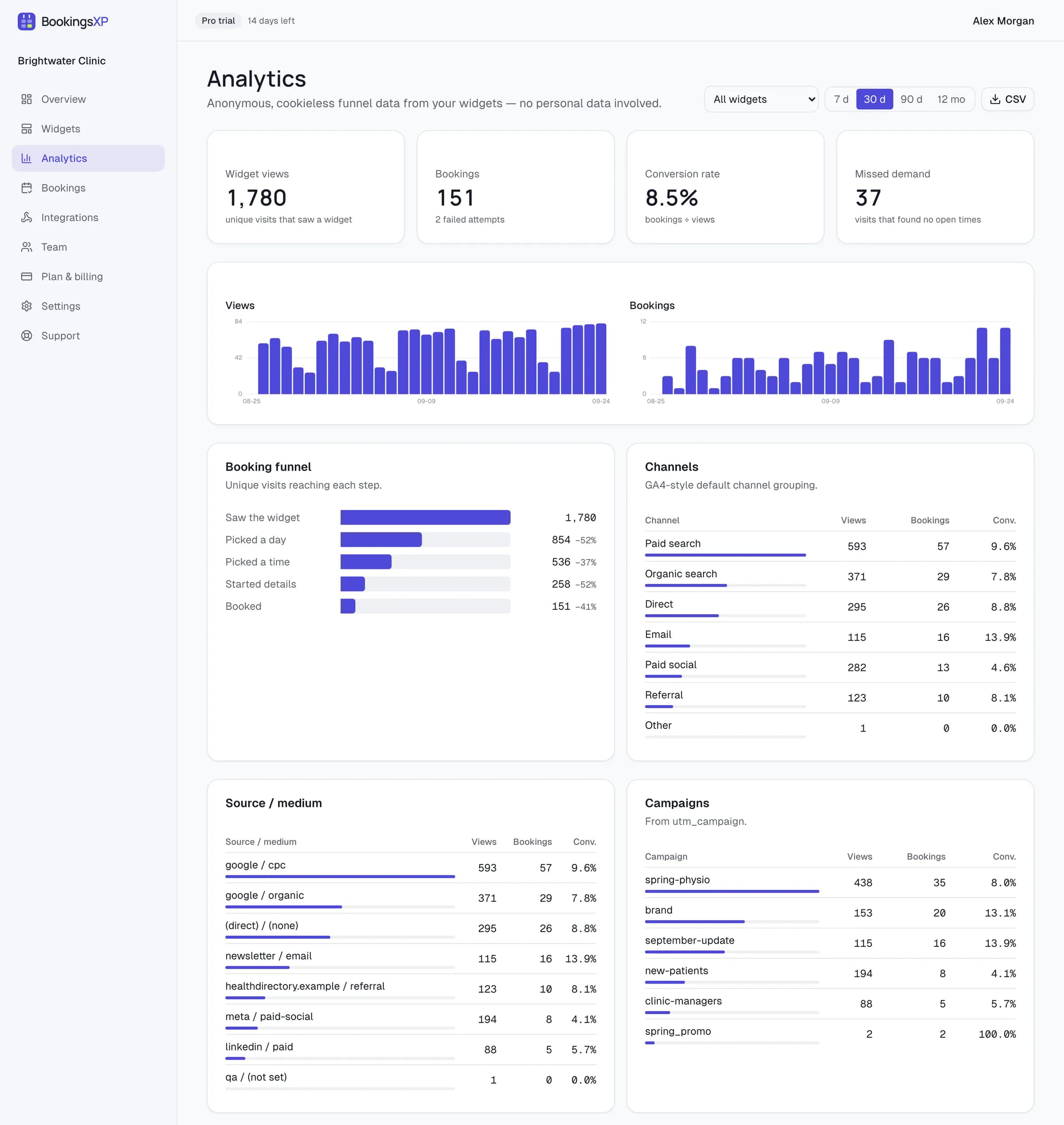
Marketing teams
See which ads turn into appointments.
- Funnel events in your dataLayer and a GA4 lead on every booking
- Google Ads, Meta and LinkedIn conversions (Pro)
- Channel, campaign and page reports, plus days with demand but no free time
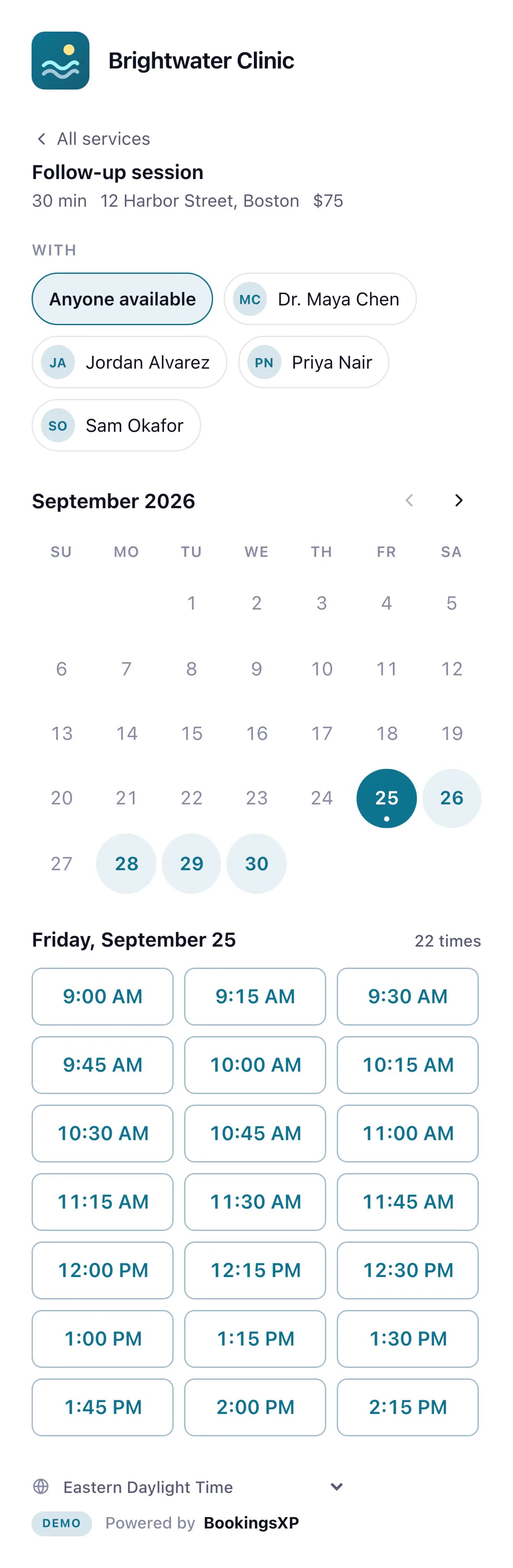
The people booking
Fewer steps to a booked time.
- A page that loads fast and fits a phone
- Times in the visitor's own time zone
- Name and email prefilled, with a check for mistyped addresses
- Microsoft Teams channel, as an Adaptive CardIllustrative
Workflows11:02 AM
New booking: Alex Rivera · Initial assessment · Wed, Oct 14, 10:15 AM EDT
- Service
- Initial assessment
- When
- Wed, Oct 14, 10:15 AM EDT
- With
- Dr. Maya Chen
- Source
- google / cpc · spring-physio
- Customer
- Alex Rivera (alex.rivera@example.com)
- Reference
- BXP-7K3M9Q
via Physio page · Brightwater Clinic
Your team
Hear about every booking, with its source.
- New-booking alerts in Microsoft Teams and Slack (Pro)
- The source on the appointment in Outlook and the Bookings app
- Signed webhooks, CSV export and a REST API
Try every template.
Switch layouts and colours, then book a time and watch the events your tags would receive. Nothing reaches a real calendar.
Classic · Free on every plan. Month calendar beside the day's times — the layout visitors already know.
Settings Microsoft Bookings doesn't have.
Small things people ask for on the Bookings forums. Each is a switch in the page editor.
- Daily booking cap
- Stop taking bookings through a page once a day has enough, counted in your business's time zone.
- Help text under questions
- Explain what you need under any custom question from your Bookings page.
- Email typo check
- Suggests the likely address when someone types gmial.com or outlok.com, before the confirmation goes nowhere.
- Links to one staff member
- Send people to one person's times: the page opens with that staff member already chosen.
- Your own page address
- bookingsxp.com/book/your-name, and search engines can index it if you switch that on.
- Thank-you page
- Send people to your own page after booking, with the service, time and reference in the URL.
Set up
Paste your link. Get your page.
BookingsXP reads your services, staff and open times from your public Bookings page. Preview it here before you sign up.
In Microsoft Bookings, open your booking page and copy its public link. It usually starts with https://outlook.office.com/book/.
We'll suggest one from your business name.
3. Create it
Create my page — freeFree plan, no card. You get the hosted page and an embed for your own site, and can switch on search indexing later.
Preview
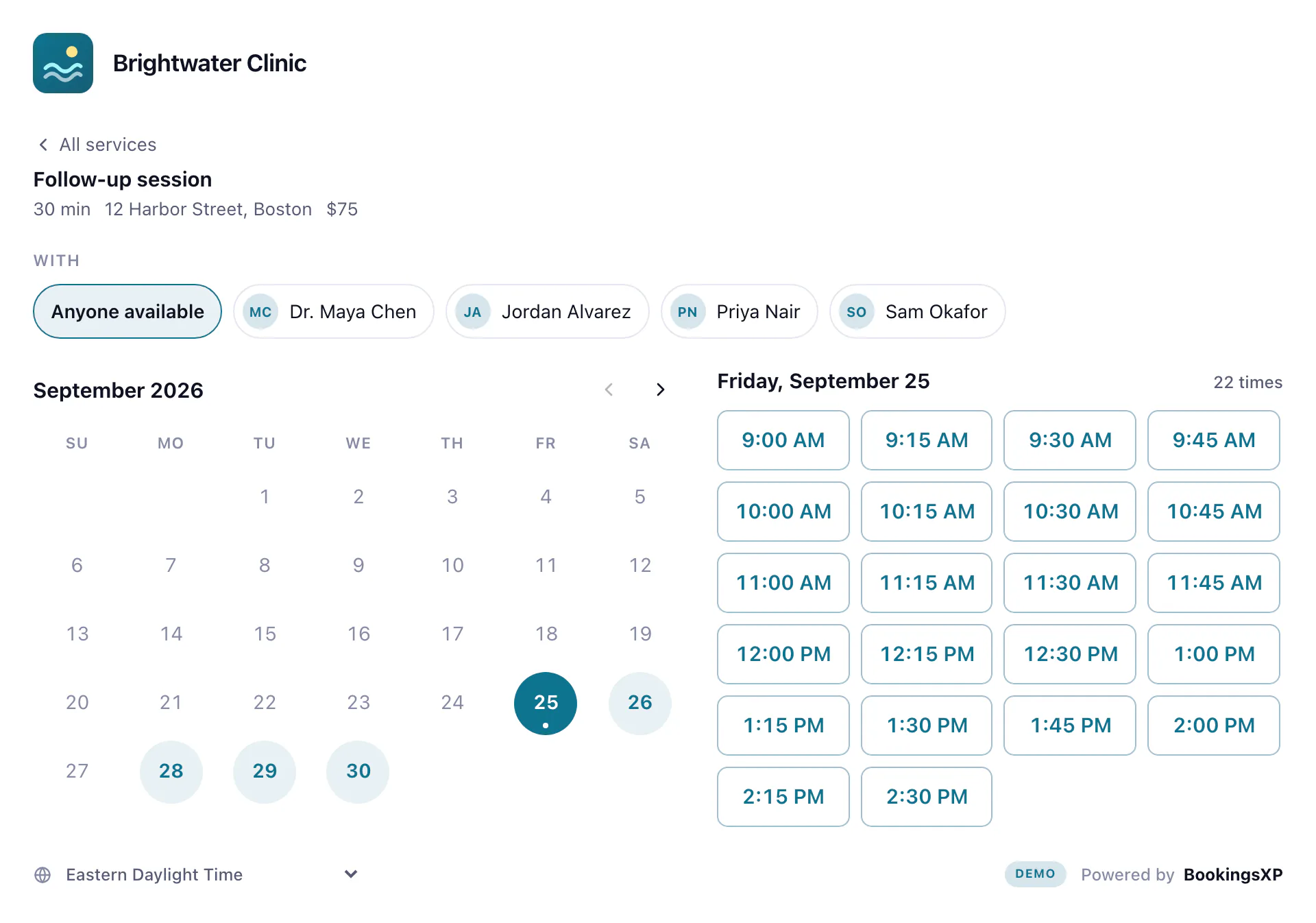
Your booking page appears here.
Your real services, staff and open times, read from your public Bookings page. Paste your link, or try the demo clinic.
Preview mode: the times are real, booking is switched off here. Nothing is saved until you sign up.
Or put it on your own website
One line in any page: a script tag, the WordPress plugin, or a React, Vue, Svelte or Astro component. Popup and floating-button embeds are attributes on the same element.
<script src="https://bookingsxp.com/embed/v1.js" async></script>
<bookingsxp-widget widget="w_8fk2m1qz"></bookingsxp-widget>Nothing to migrate. Nothing to sign in to. Nothing kept unless you say so.
- No Microsoft sign-in
- BookingsXP books through your public Bookings page. No admin consent, no app registration, no Graph permissions.
- Nothing to migrate
- Services, staff, calendars, confirmations and reminders stay in Microsoft Bookings, exactly as they are.
- Nothing stored by default
- No cookies. Names and emails pass through to Microsoft and are not kept. Zero data retention is one switch, on every plan.
Pricing
Free for one page. Pro from $9 a month.
Free
$0 forever
One widget with conversion events. No card, no time limit.
Pro
Recommended
$9 a month
Every template, ad-platform conversions, reports, webhooks and alerts.
Business
$29 a month
For agencies and multi-location teams running many calendars.
Enterprise
Custom
For organisations that need custom limits, a signed DPA and a security review.
See which ads fill your calendar.
Paste your public Bookings link to preview your page. Free plan, no card, nothing for IT to approve.